This article is part of the “Introduction to E2E Testing with Reqnroll × Playwright” series.
Reqnroll + Playwright Setup Guide for .NET (C# E2E Testing)
Conclusion
By combining Reqnroll (BDD) and Playwright (browser automation), you can build readable, maintainable E2E tests in .NET.
This guide walks you through a complete setup so you can start running browser-based tests quickly in C#.
What You’ll Learn in This Guide
In this tutorial, you’ll learn:
- How to install Reqnroll
- How to install Playwright in .NET
- How to create a test project
- Basic configuration for Reqnroll + Playwright
- How to run your first E2E test
This is ideal for developers building automated UI tests with C# and .NET.
Prerequisites
Before starting, make sure you have:
- .NET SDK installed
- Visual Studio or Visual Studio Code
Install Reqnroll
Step 1: Install Extension in Visual Studio
- Open Visual Studio
- Go to Extensions → Manage Extensions
- Search for Reqnroll and install it
- Restart Visual Studio
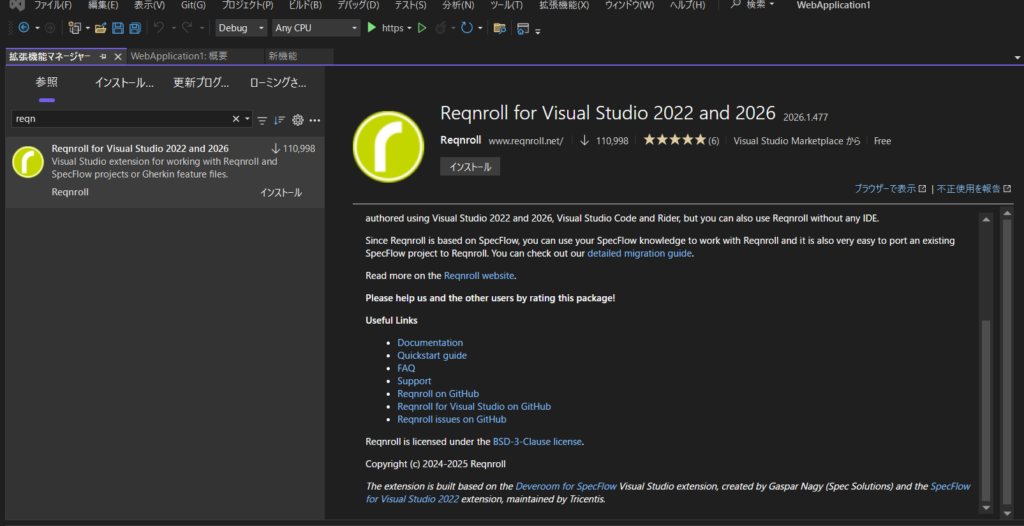
After installation, you’ll be able to create a Reqnroll project template.
Step 2: Create a Test Project
When creating a new project:
- Select Reqnroll Project
- Choose a test framework (e.g., xUnit)
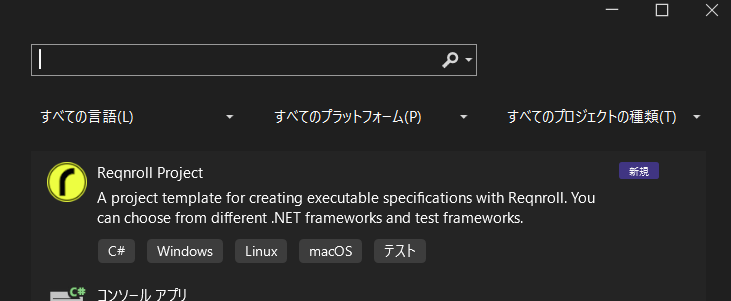
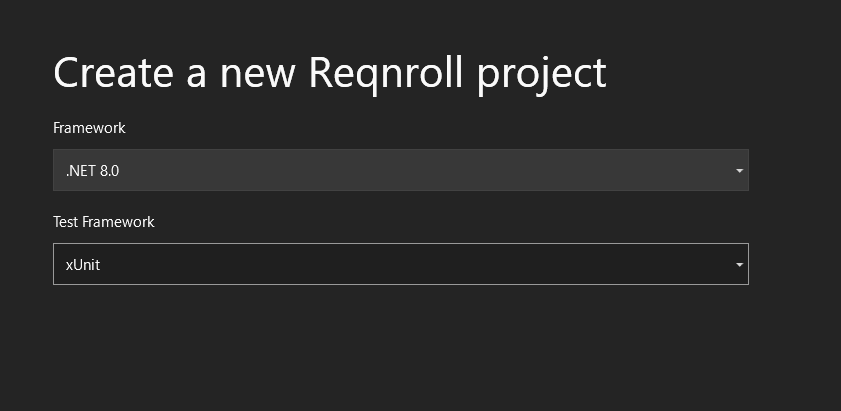
A sample project will be generated automatically.
You can:
- Build the project
- Run tests from Test Explorer
The sample may fail (due to placeholder code), but confirms setup is working.
Install Playwright (.NET)
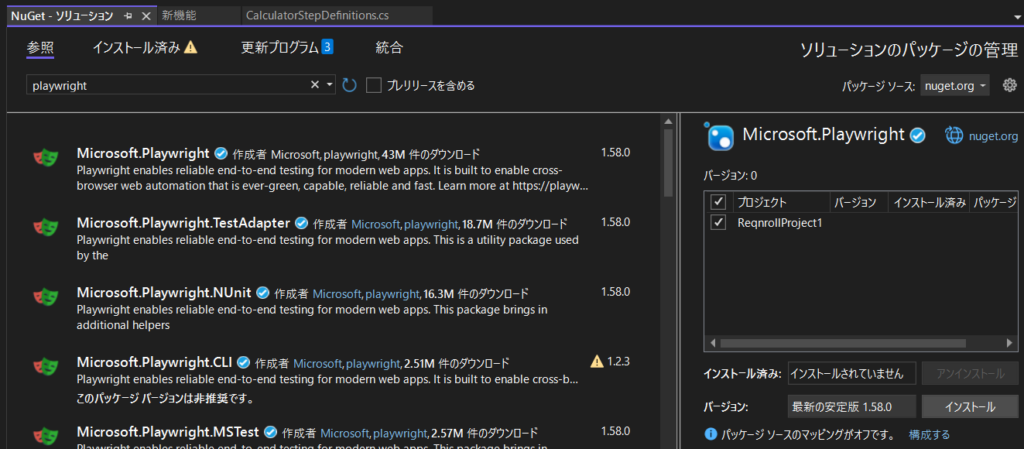
Step 1: Install via NuGet
Install Playwright in your project:
Step 2: Install Browsers
After installation, a script file will be generated.
Run the following command:
pwsh .\bin\Debug\net8.0\playwright.ps1 install
This installs the required browser binaries.
Configure Playwright with Reqnroll
Create Hooks
Create a Hooks folder and add a file named PlaywrightHooks.cs.
using Microsoft.Playwright;

[Binding]
public class PlaywrightHooks
{
    private static IPlaywright _playwright;
    private static IBrowser _browser;

    public static IBrowser Browser => _browser;

    [BeforeTestRun]
    public static async Task BeforeTestRun()
    {
        _playwright = await Playwright.CreateAsync();
        _browser = await _playwright.Chromium.LaunchAsync(new BrowserTypeLaunchOptions
        {
            Headless = false
        });
    }

    [AfterTestRun]
    public static async Task AfterTestRun()
    {
        await _browser.CloseAsync();
        _playwright.Dispose();
    }
}
This hook initializes and closes the browser for your test run.
Update Step Definitions
Modify your Step Definition class to use Playwright.
private IBrowserContext _context;
private IPage _page;

[BeforeScenario]
public async Task Setup()
{
    _context = await PlaywrightHooks.Browser.NewContextAsync();
    _page = await _context.NewPageAsync();
}

[Given("I open the site")]
public async Task OpenSite()
{
    await _page.GotoAsync("https://playwright.dev/");
}
This code opens a browser and navigates to a website.
Update Feature File
Edit your Feature file as follows:
Scenario: Open site
  Given I open the site
Make sure your file encoding is UTF-8 to avoid character issues.
Run the Test
When you run the test:
- The browser will launch automatically
- The test will execute the defined steps
- The page will open via Playwright
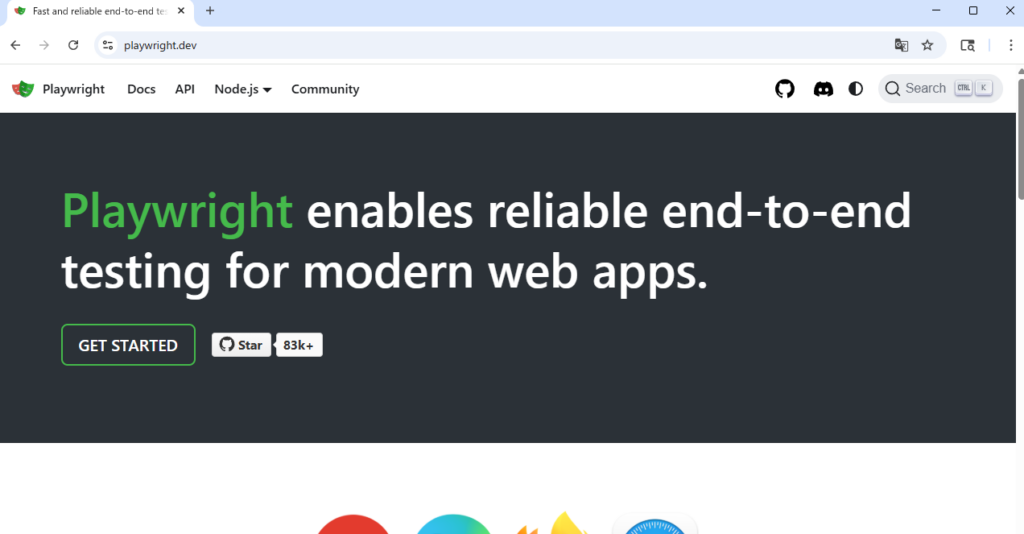
From here, you can extend your tests:
- Click buttons
- Fill forms
- Verify page transitions
Architecture of Reqnroll + Playwright
The structure of your test looks like this:
Feature File (Reqnroll)
        ↓
Step Definitions (C#)
        ↓
Playwright
        ↓
Browser Automation
Benefits of This Architecture
- Readable test scenarios (BDD style)
- Clean separation of logic and behavior
- Maintainable and scalable test code
Summary
In this guide, you learned how to set up Reqnroll and Playwright in a .NET environment.
Key takeaways:
- Reqnroll is a BDD testing framework for .NET
- Playwright is a modern browser automation tool
- You can automate E2E tests using C#
- The combination enables readable and maintainable test code
If you’re building modern E2E tests in .NET, this setup is a powerful and practical starting point.